
Foot Outline Tool
A4 measurement · 210 × 297 mm
Foot Trace Capture
Select your paper size — A4 or US Letter — then upload a foot-trace photo. The page auto-detects the sheet once; use Adjust Paper or Adjust Points to fine-tune. Point edits are kept when you re-run paper detection.
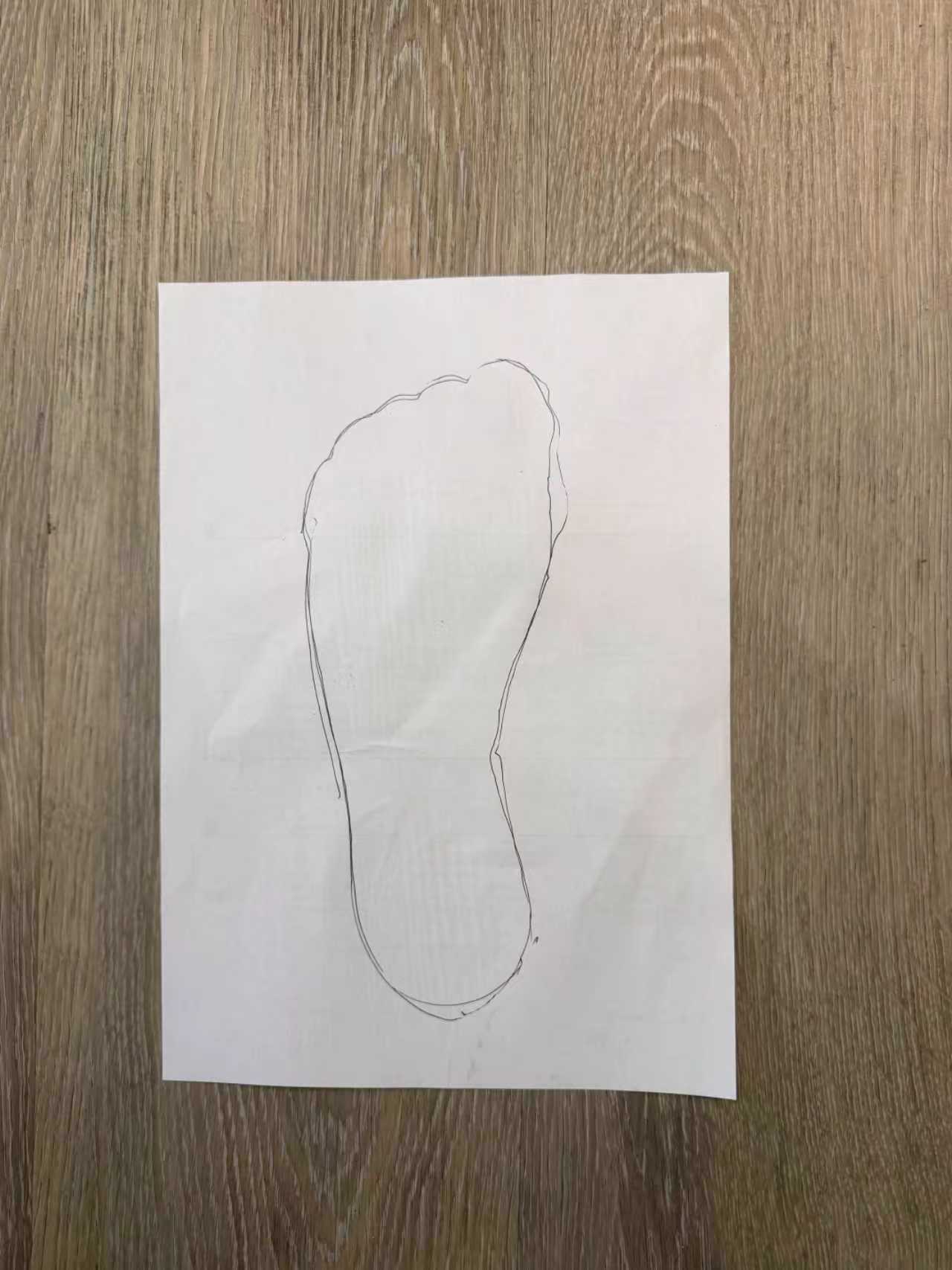
Reference capture. A full A4 sheet is visible, the trace runs from toe to heel, and the image is ready to upload.
How to draw and upload
1. Draw: choose A4 or US Letter above, then step onto that sheet and trace the full outline from toe to heel with a dark pen.
2. Capture: photograph the whole A4 sheet from above, with clear edges and minimal shadow.
3. Upload: click Upload Photo, then use Adjust Paper or Adjust Points if needed. Point edits stay after paper updates.
Length
--
Rectified from the A4 height.
Max Width
--
Measured between width points.
Create an account
Use your result to design your insole.
Start free preview →
Reference
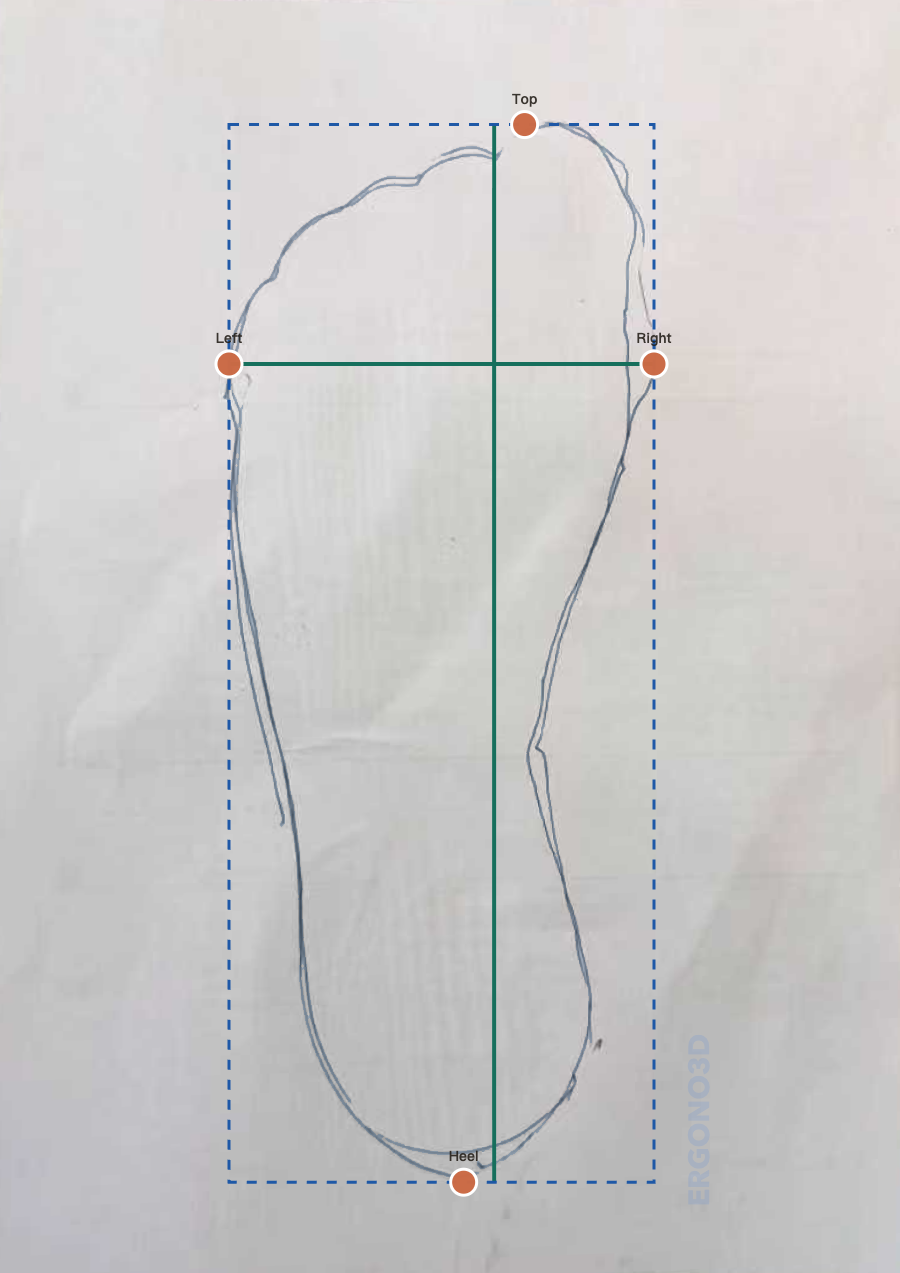
Reference result view. Length, width, and point placement should end up close to this layout.
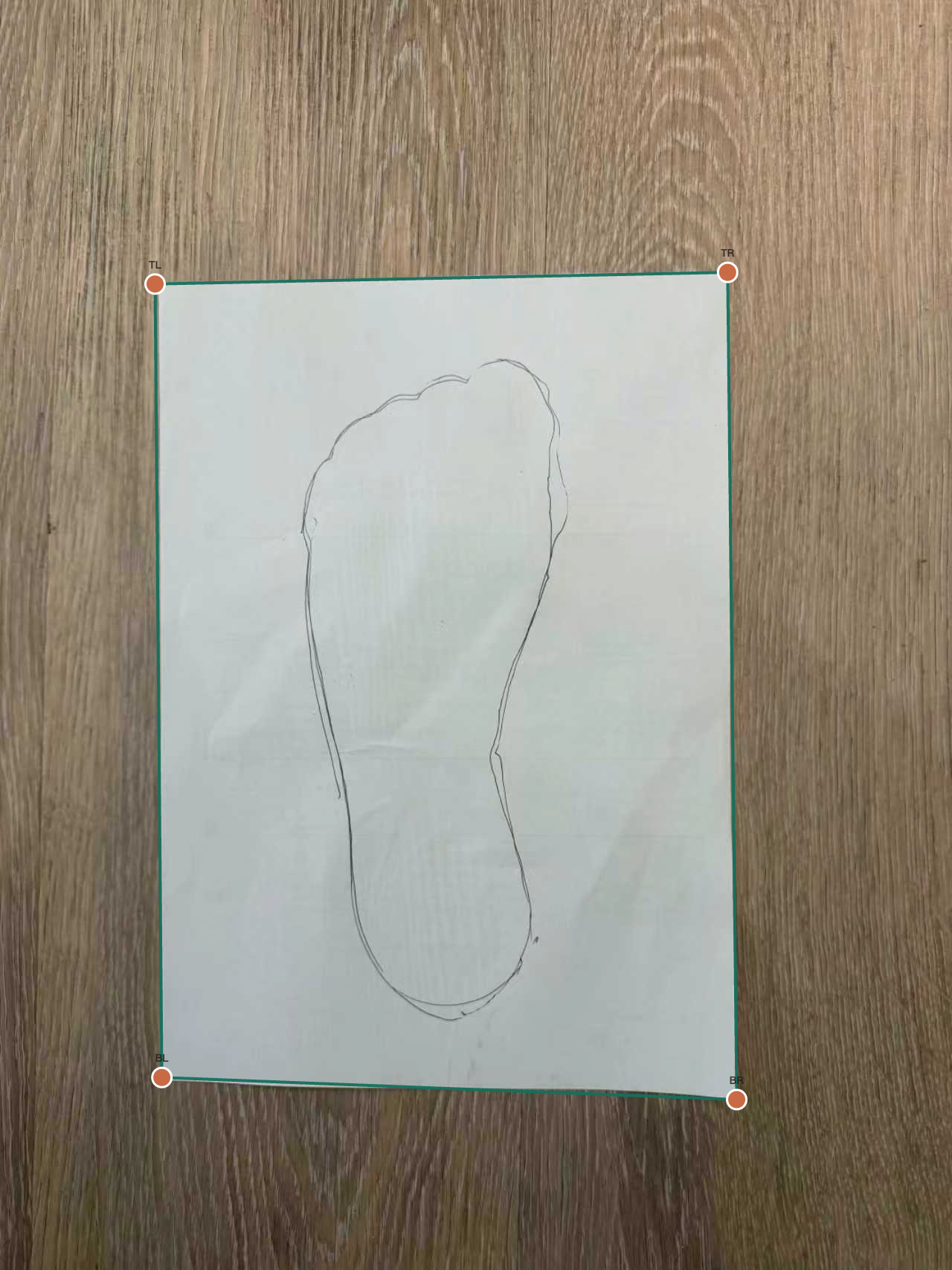
Paper adjustment reference. Use this when aligning the four A4 corners in Adjust Paper.
Upload to start. Use Adjust Paper if the sheet is off. Use Adjust Points if the measurement is off.
This result is a foot-trace reference only. It does not directly define the final insole size, because different shoe models, toe shapes, volumes, and fit targets can change the insole choice.
Start with one clean trace photo
Full A4 visible. Clear outline. Minimal shadow.
Processing…