Guided intake, no scanner required.
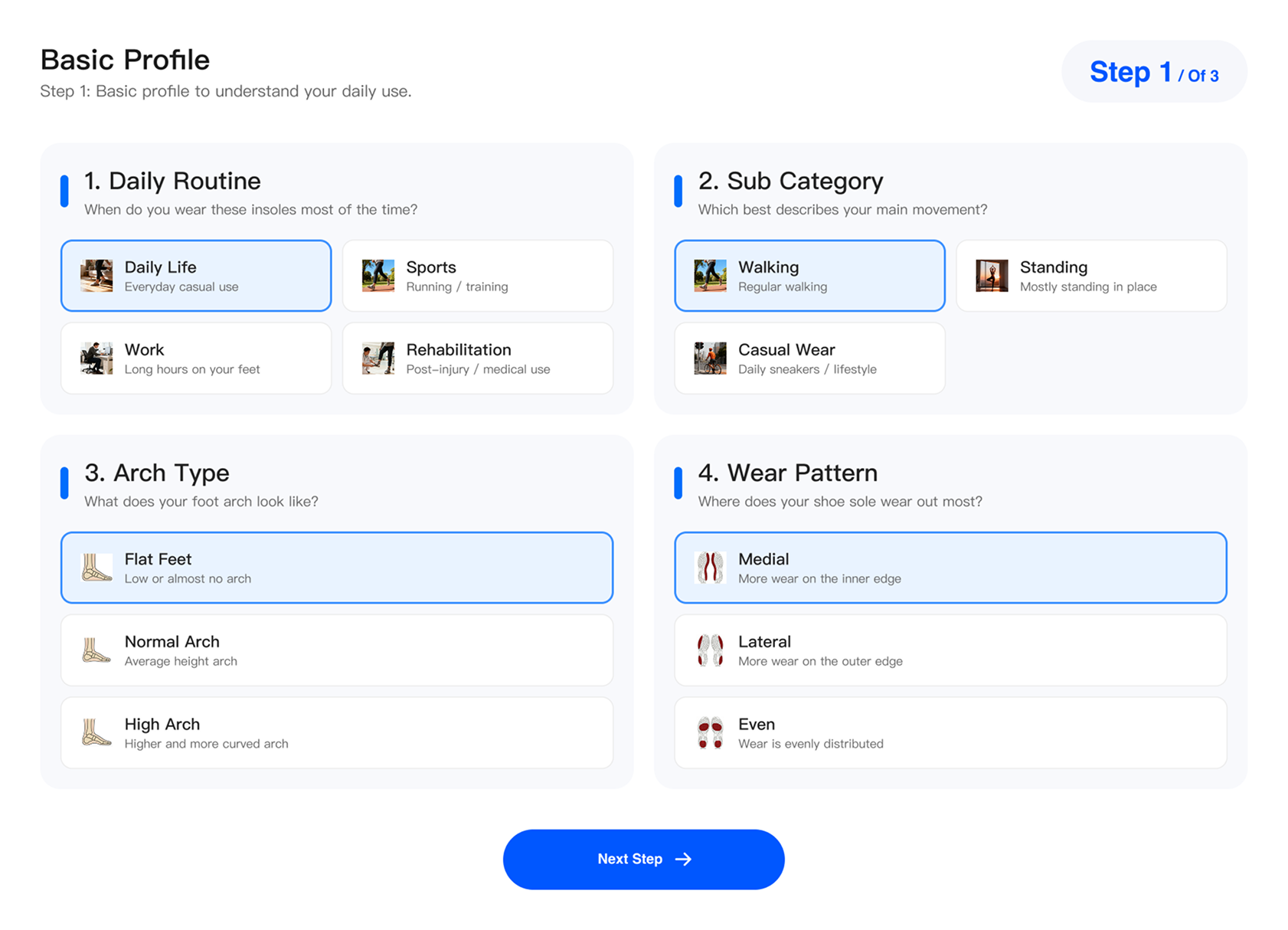
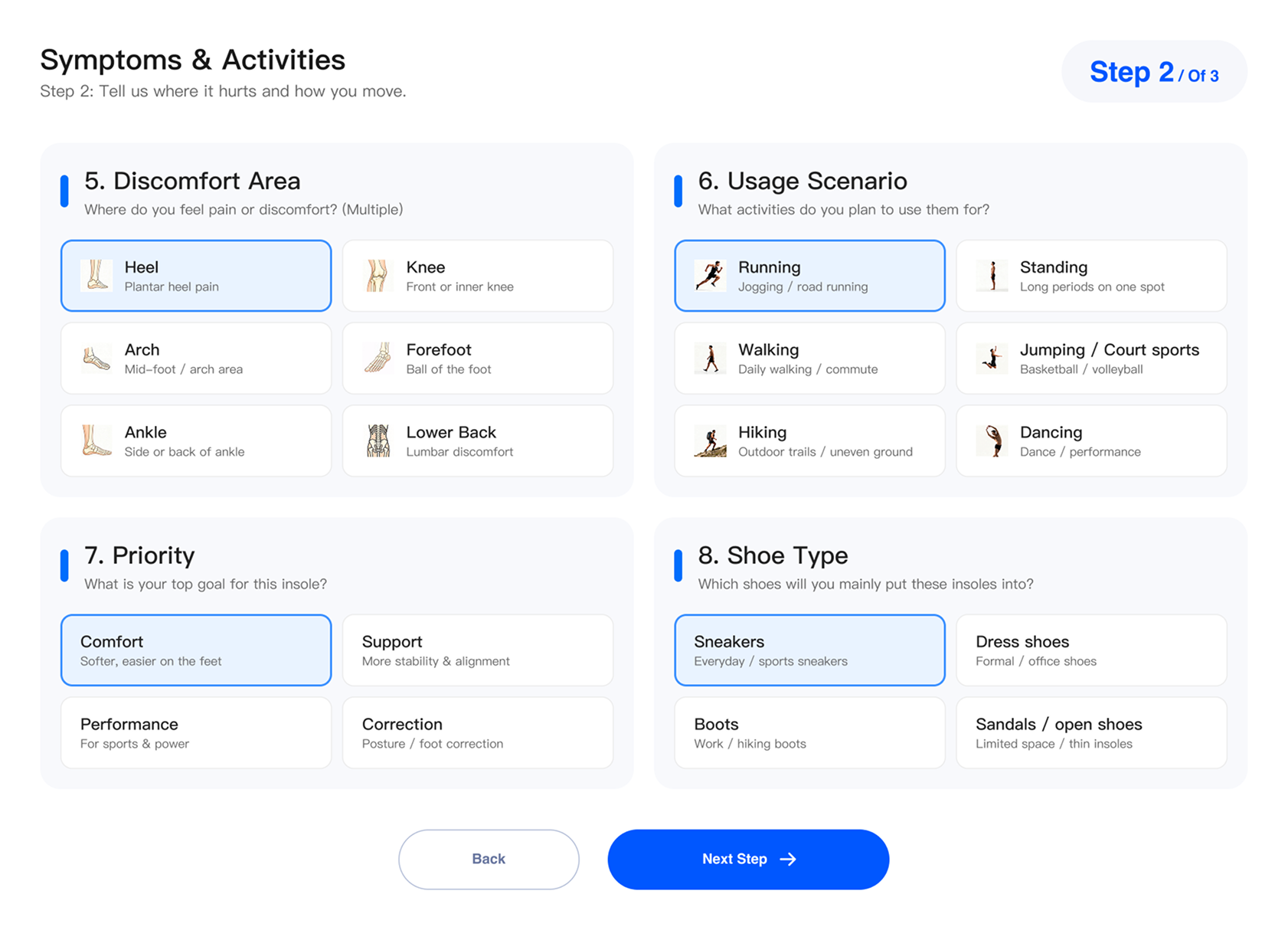
Answer structured questions about your arch type, daily routine, pain zones, and shoe type. The system infers the right parameters — no calipers or photographs needed.
Ergono3D starts with an expert-designed base insole shell, then adds the same vocabulary used in a real orthotic prescription — heel cups, skives, posting, flanges, rockers — plus a lattice engine tuned for TPU printing.
Guided profiling, precision parametrics, and print-ready STL output — each can be used independently, but together they eliminate the CAD-scan-cleanup loop that slows every clinic, lab, and maker.
Answer structured questions about your arch type, daily routine, pain zones, and shoe type. The system infers the right parameters — no calipers or photographs needed.
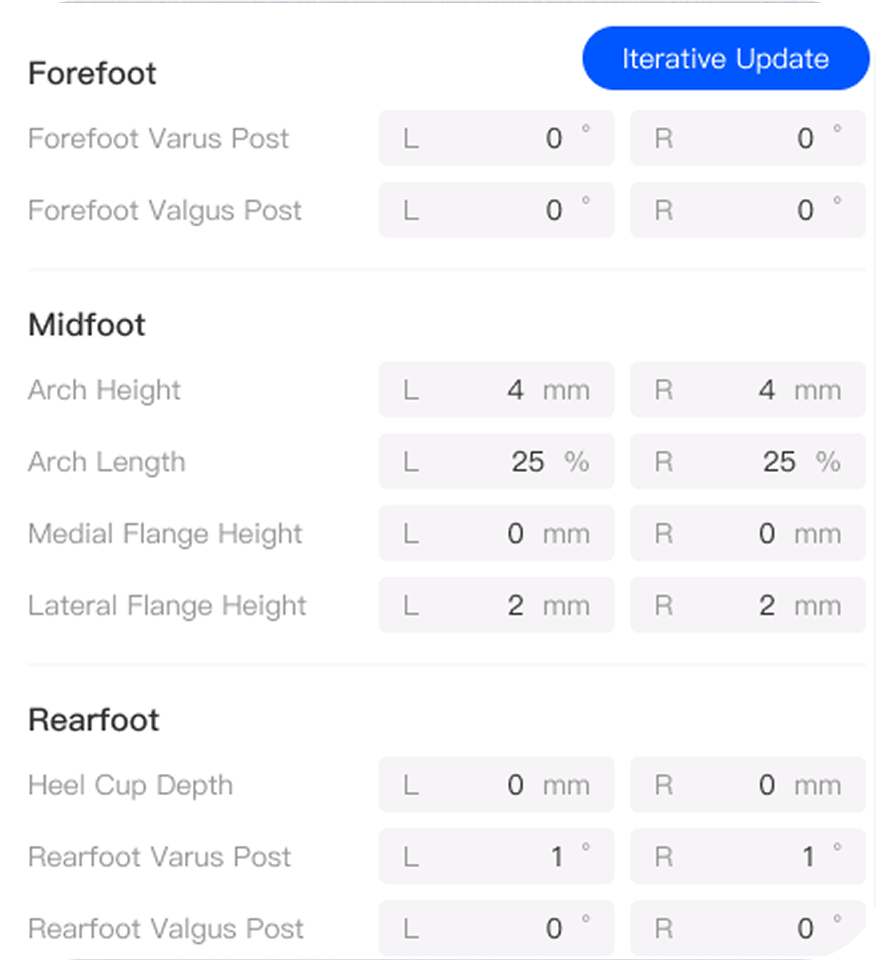
Every variable — heel cup, skive, post, arch, flange — is a named, bounded numeric input. Enter a value, the geometry recalculates. No CAD knowledge required.
Every generation produces a validated, manifold mesh pre-oriented for a heated bed — packaged with a slicer profile matched to your TPU durometer.
Answer structured questions about your daily routine, arch type, pain zones, activities, and shoe type. The system infers the right parameters from your answers — no photographs or printable guides required.
Every parameter maps directly to a term you'd find on a written prescription. Enter a value, the geometry recalculates instantly — no re-meshing, no base last recomputation.
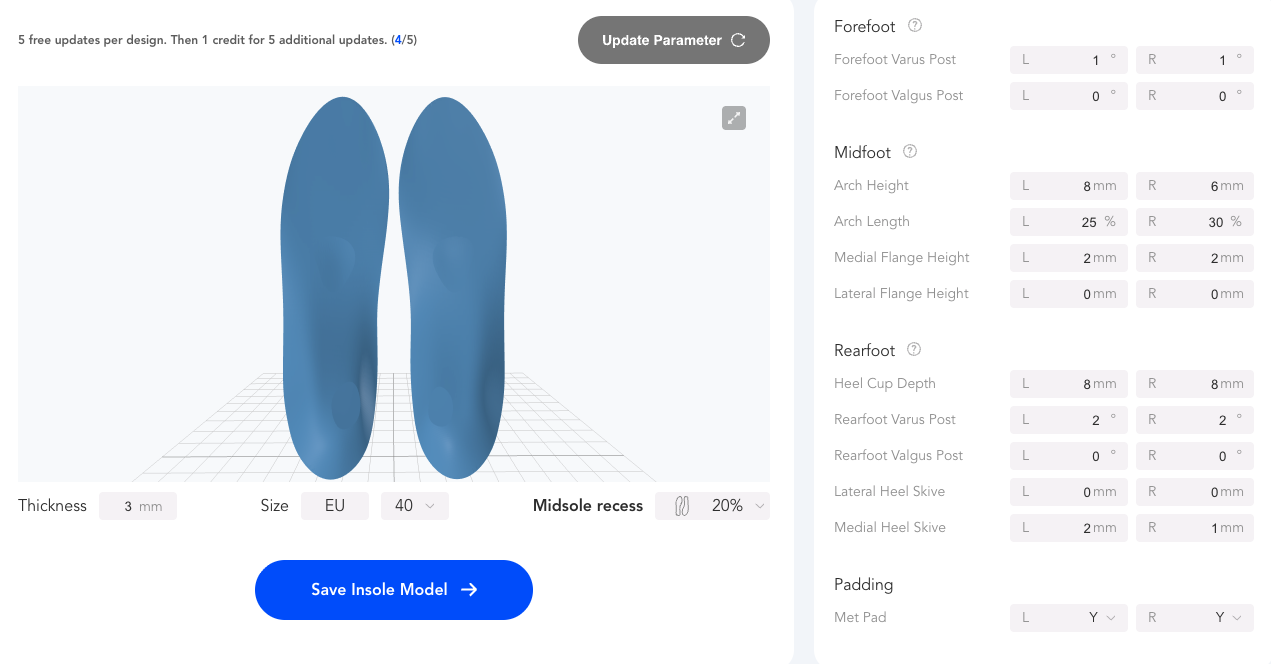 PARAMETRIC · per-foot inputs
gen_2609
heel_cup: 8 mm
skive: 2mm
PARAMETRIC · per-foot inputs
gen_2609
heel_cup: 8 mm
skive: 2mm
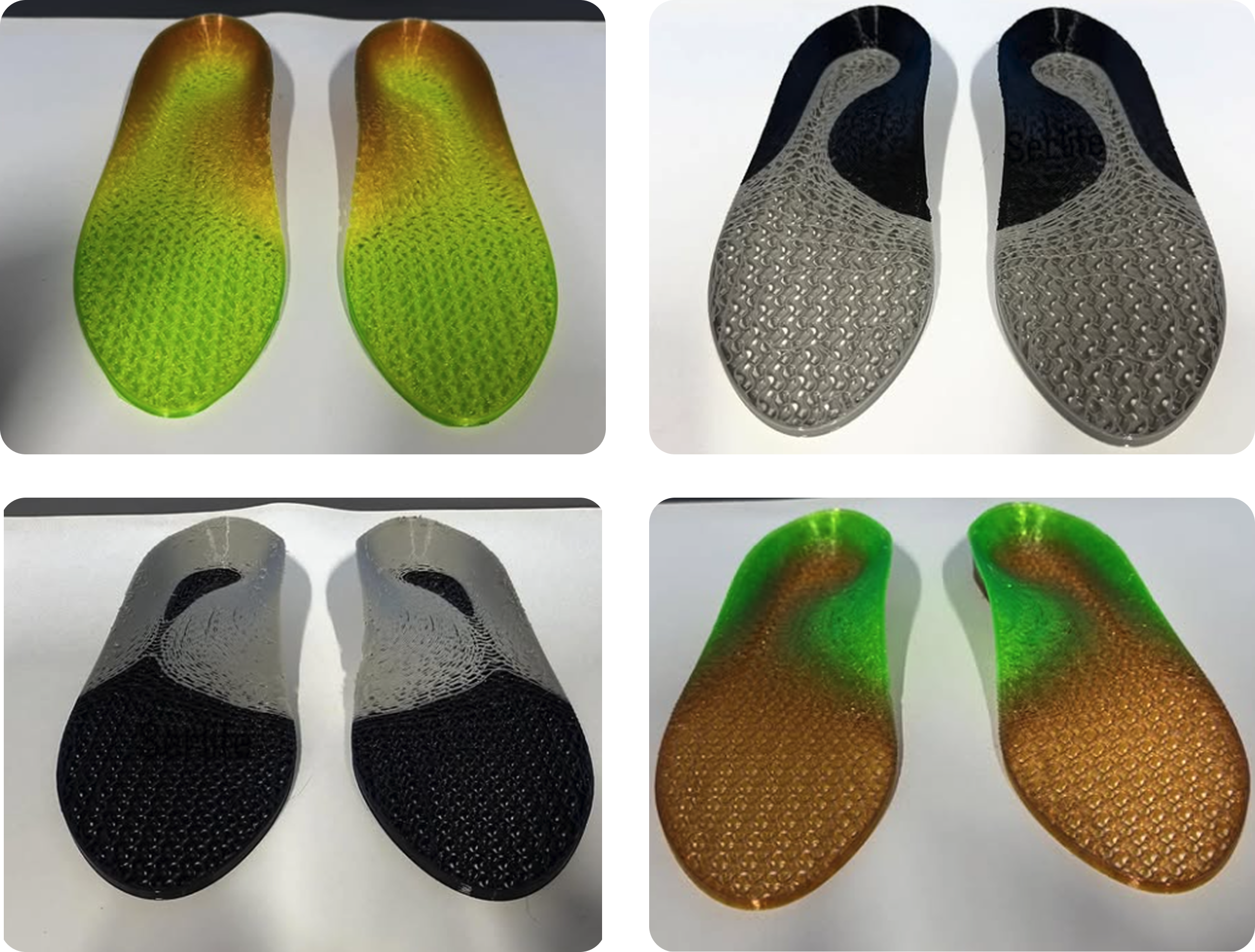
Ergono3D's solver varies gyroid cell density smoothly across the insole so different regions hit different feel targets in the finished insole — the printed TPU shell plus the top cover layer.
 TPU SHELL · top cover ready
gyroid_28%
cell: 3.4 mm
mass: 86 g
TPU SHELL · top cover ready
gyroid_28%
cell: 3.4 mm
mass: 86 g
Adjust a single parameter, hit Auto-Update, and a new print-ready STL is generated alongside your previous version. Every change is versioned — nothing is overwritten.
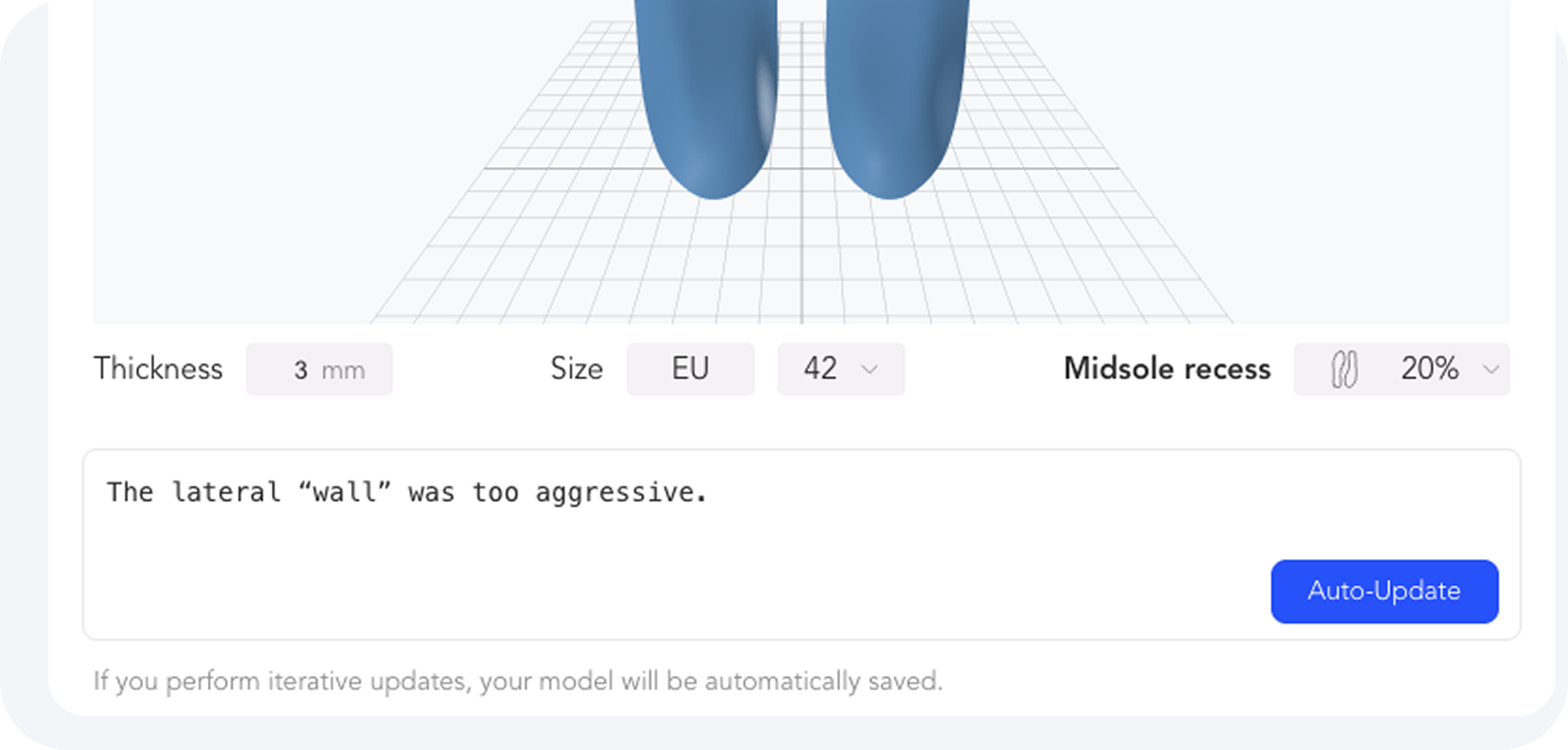
Validated mesh topology. Manifold. No self-intersections. Pre-oriented for a heated bed. Packaged with a slicer profile matched to the material you picked.
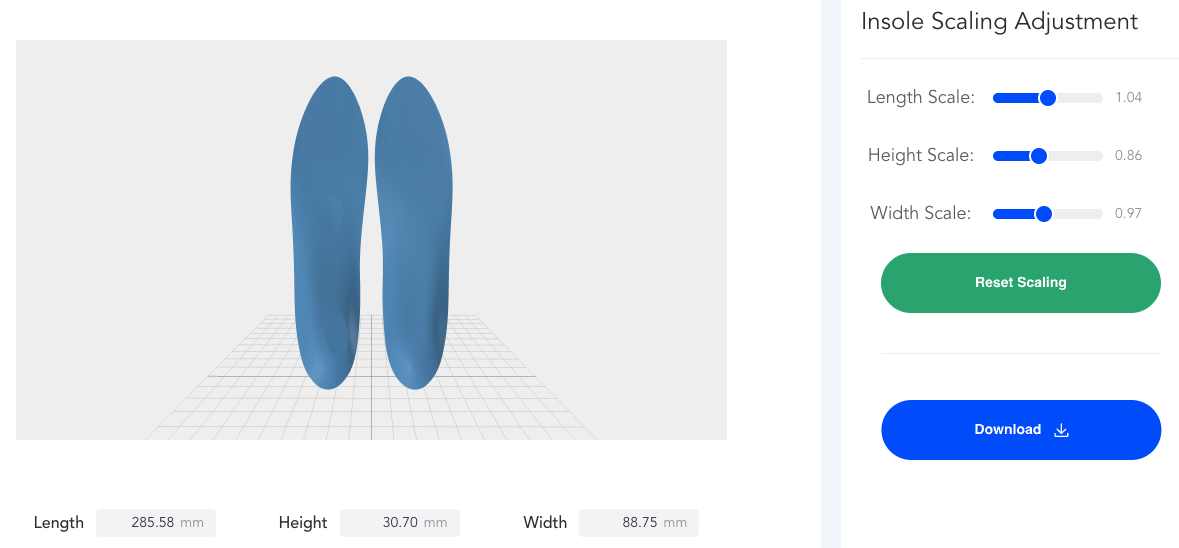
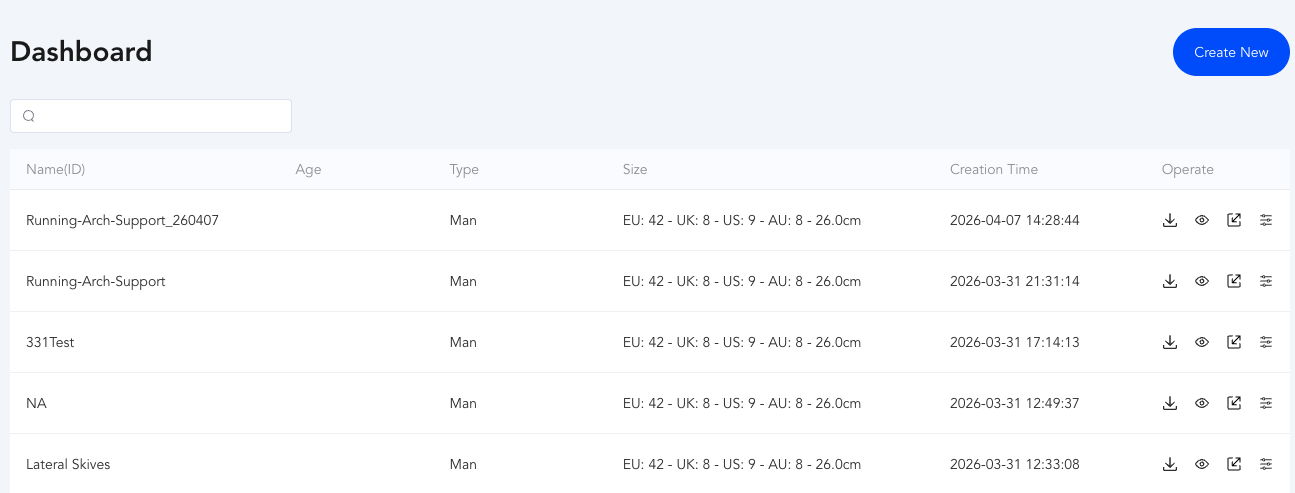
Binary STL, validated watertight and manifold. Pre-oriented for a heated bed with no manual fixing required.
Slicer profiles tuned for each printer family + material combination. Dialed-in first-layer and flow.
Every tweak produces a versioned artifact with a diff view against the previous generation.
Share a patient project across clinicians, tag prescription versions, export audit logs.
We recommend three TPU durometers depending on application. All three have validated print profiles in the app.
High rebound, low hardness. Best for daily-wear orthotics where cushion outranks energy return.
A versatile midpoint — enough stiffness for posting, enough give for all-day wear.
Used for racing flats and track spikes where energy return is the priority.
Starter plan from AU$70 for ten generations across three months. No card required for preview plan.